

13 Expert-Level Blog Design Tips for Beginners
Blog Design Tips – Blog design can be as simple as installing a theme and adding a few widgets.
But if you take your blog seriously and you want it to visually stand out, the first step is understanding the principles of design. These blog design tips will help. Once you understand what makes a good blog design, you can work on it yourself or find and qualify a talented designer.
Here are 13 expert-level blog design tips that I’ve gathered from three years of being a freelance web designer. To help illustrate these tips, I’m going to use HelloBar.com’s design as an example.
No 1 Blog Design Tip – Make Goal-Driven Design Decisions
The purpose of design is to get your website to convert towards your goals. That’s it. Everything else comes secondary.
How do you do that?
You need to have a visual hierarchy that leads to a call to action. In simpler terms, feature a headline or a series of headlines that end in a call to action. Then put this headline/call to action duo in the places that people see the most (i.e. top of homepage, top of sidebar, bottom of posts, etc.).
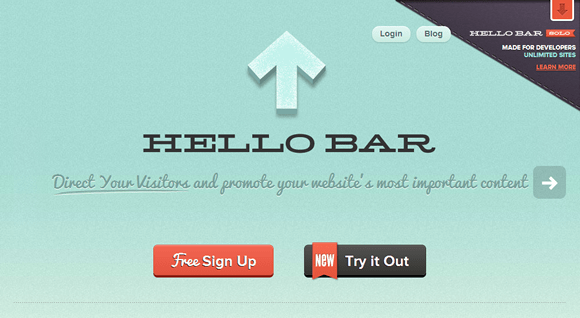
The goal of Hello Bar’s homepage is to get you to “Sign Up” or “Try it Out” and their design makes that obvious.
No 2 Blog Design Tip – Use 2-3 Fonts, Max
At most, use one font for your logo, one for your headlines, and one for your body content.
Any more and your blog will look messy.
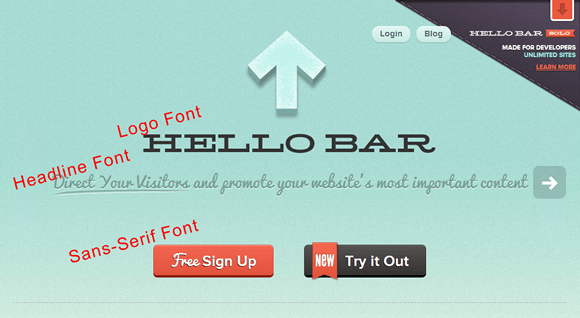
Hello Bar has a distinct logo font, Pacifico headline font, and a sans-serif default body font.
3. Use 2-3 Colors, Max
Your blog should have a primary color, a shade of grey, and a call to action color.
The primary color is the first color you want people to see and the last color you want them to remember. For Hello Bar, it’s light blue.
The shade of grey will help you subtly emphasize and de-emphasize certain aspects of your design.
The call to action color will be used sparingly as, you guessed it, the color you want people to look for when they’re deciding what to do next. For Hello Bar, it’s orange.
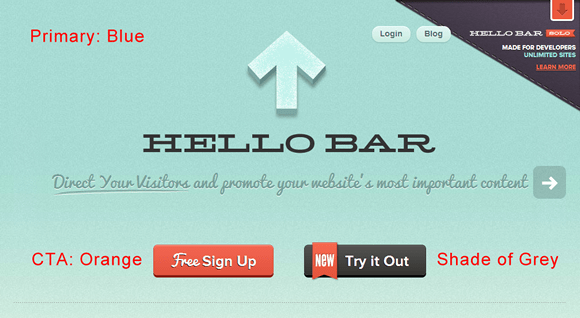
Hello Bar uses light blue, various shades of black/grey, and a bright orange to draw your attention.
4. Pick Perfectly Matching Color Schemes
Along with limiting your color scheme, your primary and call to action colors should complement one another.
To find scientifically matching color schemes, start with your primary color and find supplementary colors. This will help.
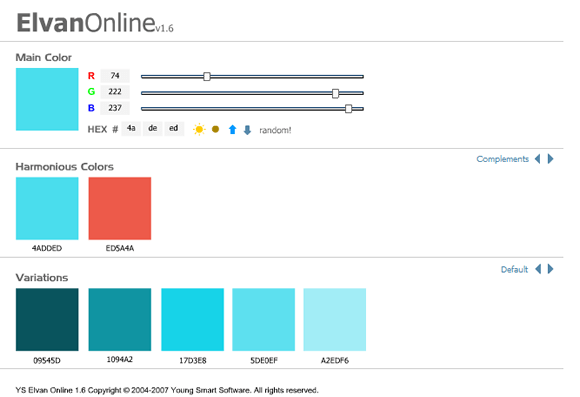
Hello Bar’s blue and orange are perfectly complementary.
5. Cherish Subtlety in Gradients, Shadows, and Textures
Web design is like makeup, less is more. With your gradients, shadows, and textures, make them so subtle that you have to look closely to tell that they’re there.
Subconsiously, you’ll notice that it looks good. But you’ll have to take a closer look to realize why.
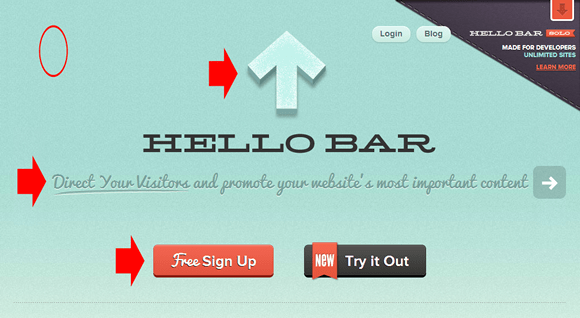
If you’ll look closely, there’s a texture in the background, the logo has a shadow, the headline has a shadow, and the buttons have a subtle gradient.
6. Apply Global Light Angles for Gradients and Shadows
A common goal with art is to make it seem as life-like as possible. Web design is no different. One way to do that is to maintain a global light angle across all gradients and shadows.
Think about it. If the sun is shining on a table full of buttons and raised letters, they’re all going to have the exact same gradient-effects and shadows.
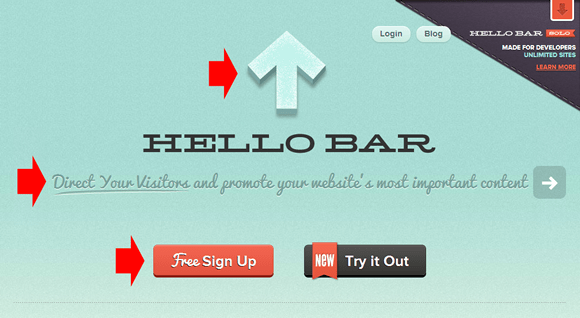
Hello Bar uses a 90 degree global light source. The logo shadow, headline shadow, and button gradients are consistently at 90 degrees.
7. Embrace White Space
Aside from effectively using padding and margines, the best way to embrace white space is to simply get rid of everything that doesn’t contribute towards accomplishing your goals.
Do you really need that tag cloud? No, you don’t. Nobody uses those.
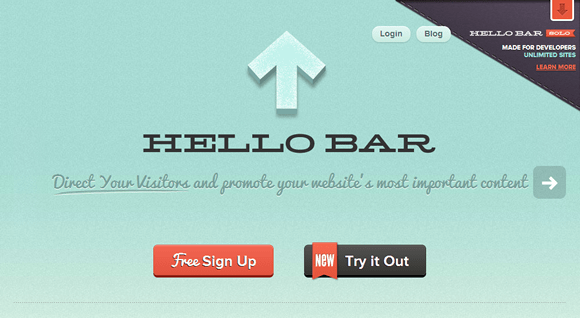
Hello Bar uses “white” space to eliminate all distractions and draw attention to their call to action buttons.
8. Separate with 1-Pixel Borders
Borders help to clean up your design and to visually separate different sections. Use 1-pixel borders because they’re clean and crisp.
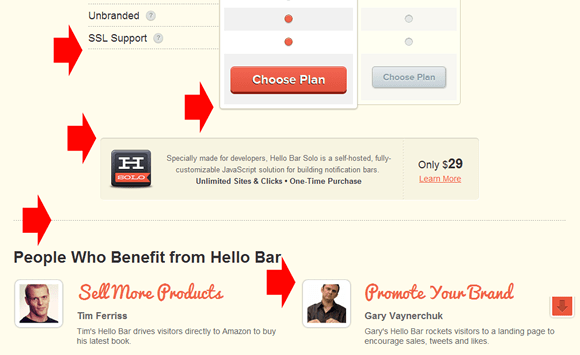
Hello Bar uses a bunch of dashed and solid, 1-pixel borders to separate their content.
9. Implement Grid-Based Alignment
This is one of the more complicated tips. Jacob Cass, from JUST™ Creative, introduced me to the 960 grid. It’s a Photoshop template that helps you align your design perfectly and precisely.
Whether or not you use the 960 grid, the different sections, parts, and text blocks in your design need to line up vertically.
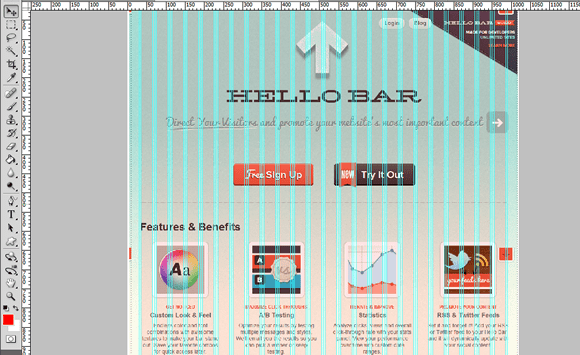
I’m not sure if Hello Bar was originally designed with the 960 Grid, but everything aligns perfectly all the way down the page.
10. Implement Subhead Hierarchies in Your Content
If you want to communicate a series of thoughts or a process (i.e. a blog post), use subhead hierarchies coupled with short body copy to make it easy to move down the page.
From a design standpoint, subheads break up the content but they also make it scannable and easier to consume.
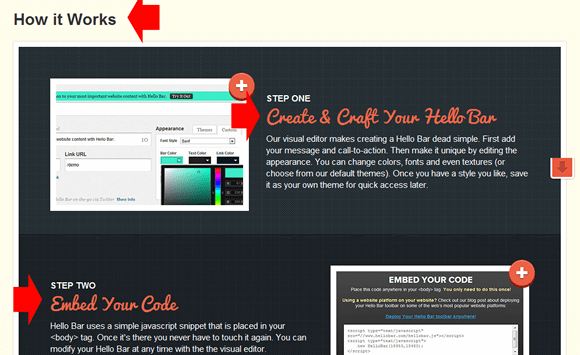
Hello Bar uses a series of well-designed subheads in the “How it Works” section of their homepage.
11. Design with CSS
The process of taking a design and putting it on your website is more complicated than you’d think. In essence, you take the images from your Photoshop file and set them as the background of certain areas with HTML and CSS.
If you have lots of intricate background areas, then this means that you website will need to load lots of images which will lengthen your loading time.
One way to get around this is to design the simple details with CSS. Here are a number of design elements you can add with CSS:
- Borders – {border: 1px dashed #CCC;}
- Frames – {border: 1px solid #CCC; padding: 1px;}
- Text Shadows – {text-shadow: 1px 1px 1px #CCC;}
- Box Shadows – {box-shadow: 10px 10px 5px #CCC;}
- Rounded Corners – {border-radius: 5px;}
You can also use CSS to create gradients, transitions, animations, font-faces, etc., but these start to get complicated and don’t show up in older browsers.

Hello Bar uses padding, borders, and a box shadow to add fast-loading CSS styling to their testimonial photos.
12. Speed Up Your Design with Small, Repeating, Background Images
If you use images to create your backgrounds, make them as small as you can so that they load faster. Then use CSS to make theme repeat-x/repeat-y.

This is the actual background image that repeats horizontally in the Hello Bar background to make the site load faster.
13. Maintain Consistency in Your Calls to Action
My final tip for you is to maintain a consistent design in your call-to-action buttons. This helps people find what they’re looking for. Plus, if they see the same button three times on a page, they’ll notice it and think, “I should probably click that.”
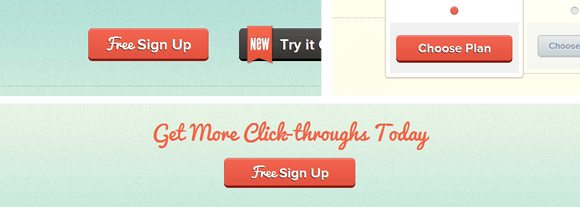
Hello Bar has three primary call to action buttons on their homepage and they’re all styled exactly the same.
If you’ve never checked out Hello Bar, I encourage you to do so. I use it on my blog and it seems to be working well.
Blog Design Tips: The Final Word
If you’re not a designer or coder, these blog design tips that will help separate your blog from the ordinary, boring blogs out there. Hey, they can even help you become an authority blog.
But once you want to upgrade your design, you’ll be able to ask your designer questions like, “When you convert your PSD to HTML, which design elements do you recreate with CSS so we don’t bog down the site with a bunch of bulky background images?”
On another note, the only rule here that’s unbreakable is #1. The rest are based on best practices and my personal thoughts on design. Bend them as you wish.
As always, if you need more guidance with any of these tips, leave a comment below and I’ll try to help you out.
See More Articles Related To Blogging
-

See how much traffic your competitors are getting. -
FatJoe: SEO Services and Article Writing -

The Most Advanced Blogging Strategy I’ve Never Shared -
Seth Godin Blogger Profile: The World’s Weirdest Marketing Blog -
Blogger Profile: How Neil Patel Makes Millions with Quick Sprout -

How To Start A Review Blog and Get Free Review Products -
23 Writing Tips For Bloggers Who Think They Can’t Write! -
New WordPress Install – 20 Things You Must Do [Checklist] -
11 Reasons Why Your Blog Isn’t Making Money and What To Do About It -
15 Editing & Proofreading Tips Every Blogger Should Know -
The 20 Biggest Benefits of Blogging






![New WordPress Install – 20 Things You Must Do [Checklist]](https://eadn-wc04-1126528.nxedge.io/wp-content/uploads/2016/09/new-wordpress-install-2016-210x120.jpg "New WordPress Install – 20 Things You Must Do [Checklist]")


I’m note that into coding stuff but I’m good at designing in fact I’m a graphic designer professionally. I think your post should be bookmarked to use in future. Thank you for a great teach up.
Sure thing, Irfan. What’s your favorite part about being a graphic designer? Do you have a portfolio that I can see?
Great tips. Someone just starting out in web design should pay careful attention to them.
Subtle gradients, shadows, and textures (especially textures) play a HUGE role in giving your design that extra professional touch.
I just started using textures more in my designs, Derek. In fact, the site I’m working on now only has non-textured backgrounds in the form inputs, the call to action areas. Are you a designer?
Very good tips! I’m doing some of these but I guess there is still lots of room for improvement in my blogs 🙂
Thomas
Which ones are you using and which ones will you start using, Thomas?
Great tips as always. Always room for improvement. Also a big fan of the hello bar and it is a great example.
Yeah, I’ve been a fan of their work ever since Hello Bar came out. It’s a product of Digital Telepathy, one of the top design firms in the world. I brainstormed these tips before I decided to use it as an example. I’m pleased that I could find an example of each on their homepage.
Thanks for the article! Also, thanks for making your website compatible with mobile devices! I have more time to view your posts now during the day when I receive your newletter updates!
Great post. Really informing, thanks for sharing :). I found that the same colour with the call to action buttons definitely works
Cheers
Lloyd
Thanks for the tips Nicholas. I’ve never heard of the 960 grid you mentioned, will definitely check that out.
I’ve found the CSS coding in WordPress a big complex for my knowledge. However, i’ve managed to outsource most of it to someone in FIVERR who can make design changes at a low cost.
Cheers
According to this , I have to spend some effort on my blog design. Thanks!
LoL, once I start with designing, I tend to get a bit carried away and go overboard.
I think I should print your article out and stick it on the wall so that I can stick to your tips and stop myself before I start getting carried away again… 😉
Nice tips for web designing specially for those who are new to web designing. It is very important to design a web site such a way that users finds it very useful and get unique
content to read so that they come to your website repeatedly.
Thanks for your nice tips.